
Inside Arc
A walk through a sample case. What it looks like when discovery shows up, what Arc does with it, and how the lawyer asks it questions.
Drag in the box. Walk away.
Arc accepts whatever shape discovery shows up in — PDFs, transcripts, body-cam video, dash-cam audio, photo evidence, phone extractions. Long PDFs are split into the documents inside them. Every page is OCR'd, every recording transcribed and timestamped, every video characterized — in the background, as it uploads. Cost and progress are visible in real time, not at the end of an invoice cycle.
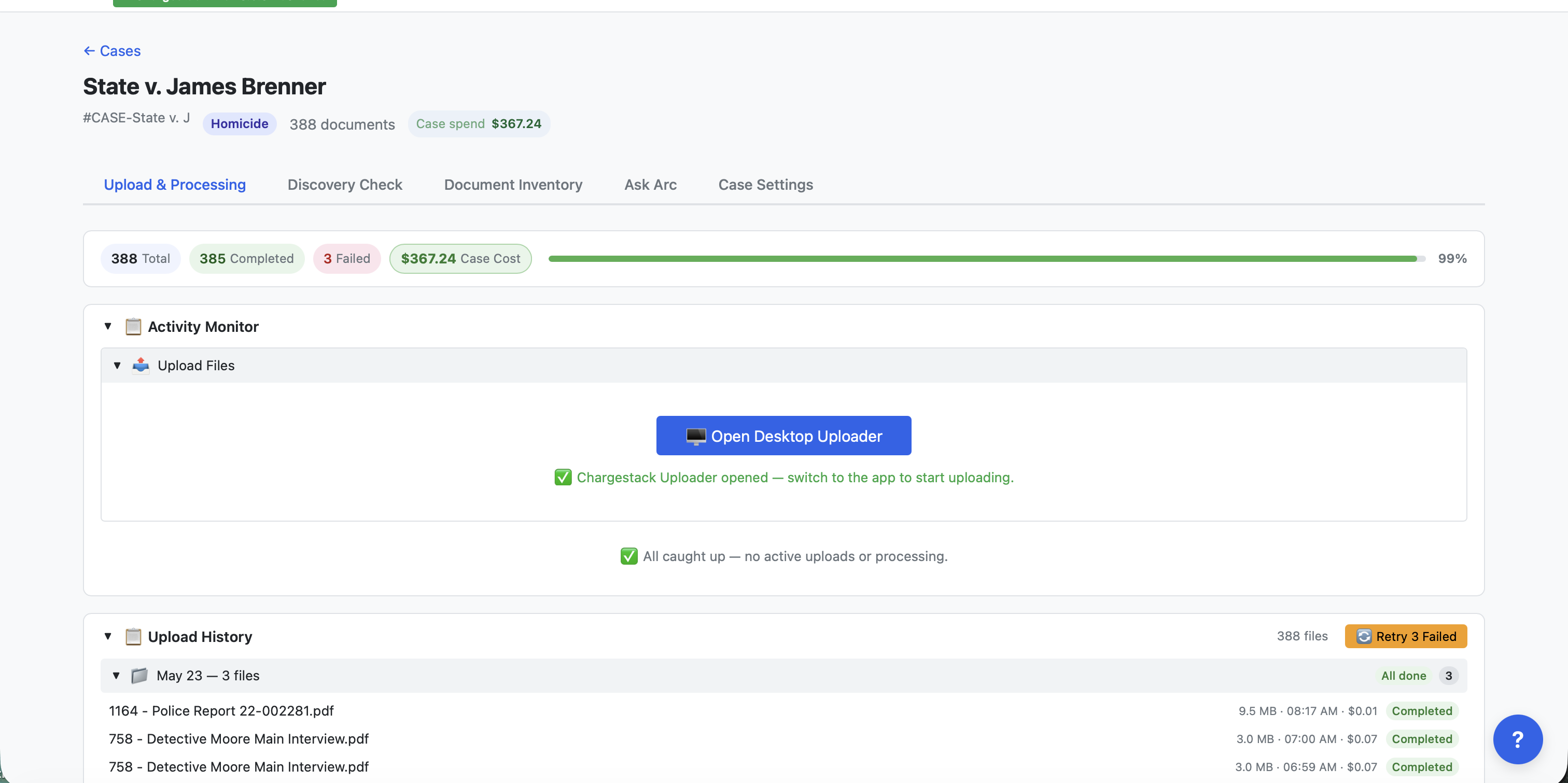
Know what it is before you open it.
A 400-page production arrives as the affidavits, reports and logs inside it — each its own document, classified and summarized, opened on its own pages. Arc reads every file as it lands and writes the gist: what it is, what it says, who's in it. Skim the case in Cards view without opening a thing.
Files or Documents — your call. One row per file as uploaded, or one row per document as found inside it; every filter, count and bulk action follows the side you're on.
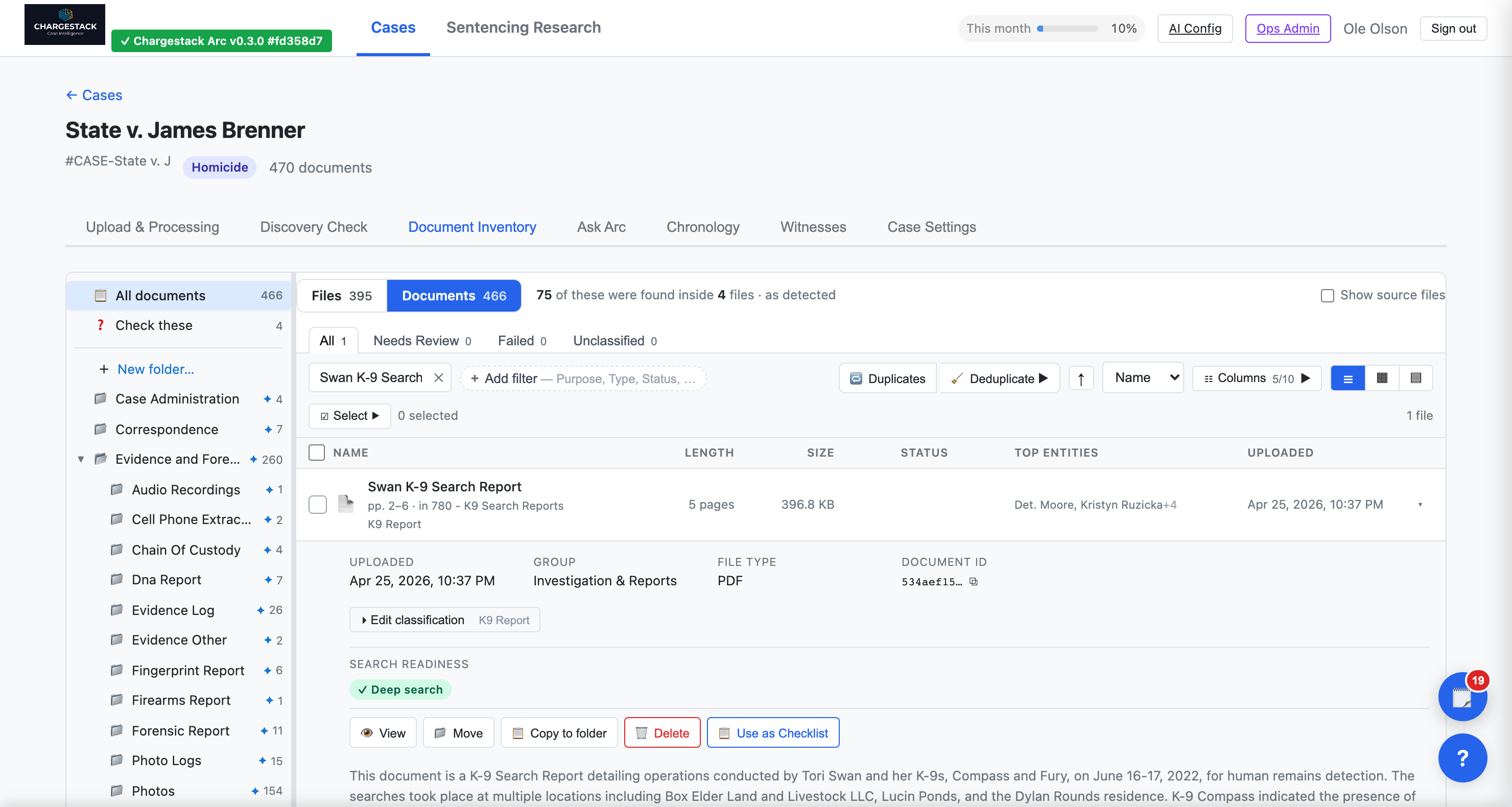
Stop opening documents to find out what they are.
Slice it, then save the slice.
Filter by purpose, type, folder, status, date, origin or source file — each choice shows how many documents it holds before you pick it. Save any combination as a tab with a live count, and the strip of tabs becomes an at-a-glance status of the case. Switch columns or layouts to see the details that matter to you.
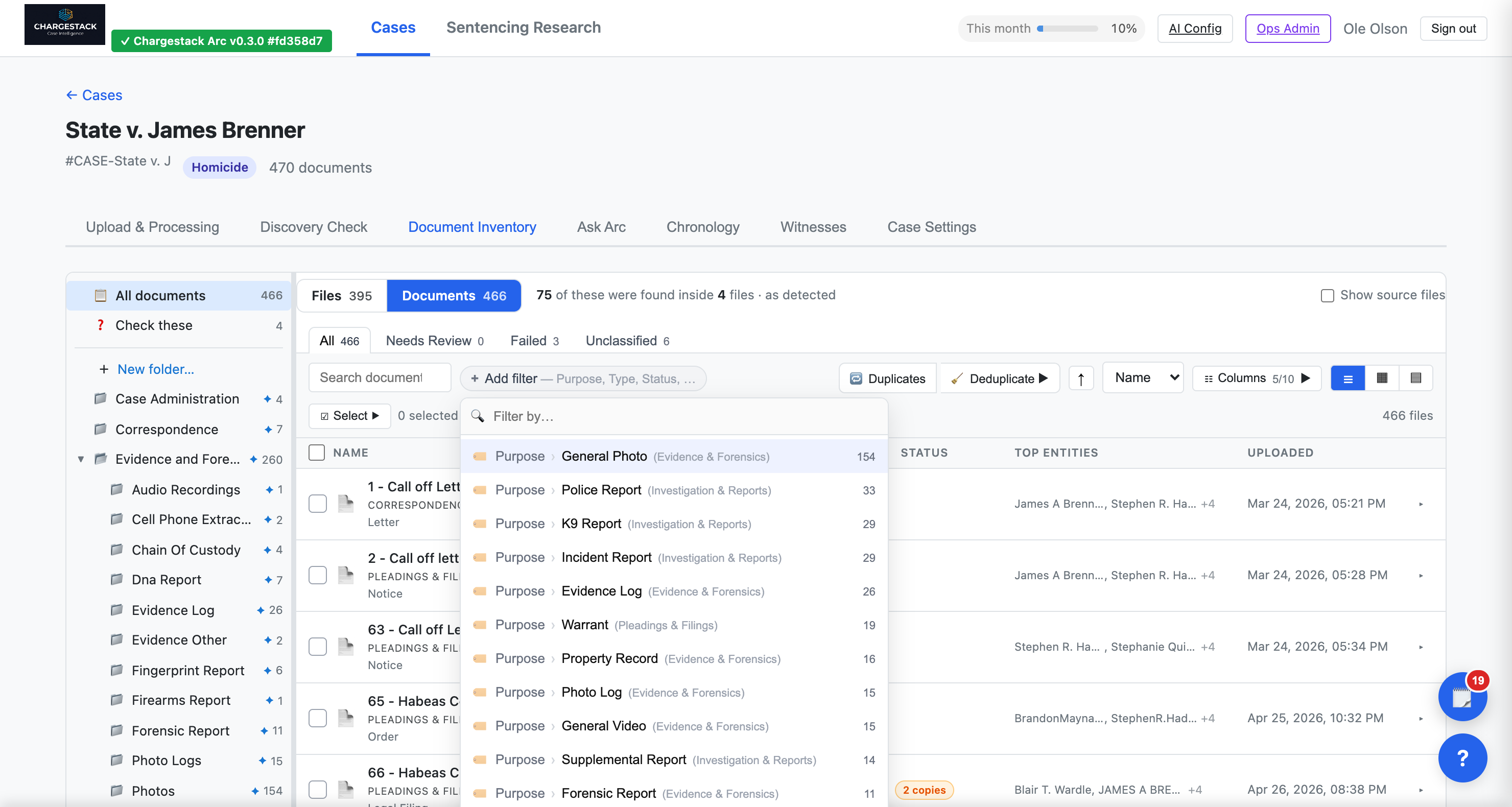
Folders that fit how you think — and keep themselves filed.
Ask Arc to reorganize the case by document role, by party or witness, by timeline phase, or by source and custodian — it scores each arrangement against the case and marks the best fit. Or just type what you want. You see the plan first — how many folders, how many documents would move, how many are already in place — and nothing moves until you say so. What you filed by hand stays put unless you say otherwise.
Then the folders do the work. A folder that holds K-9 reports keeps taking K-9 reports, including ones found inside tomorrow's upload. Anything Arc can't place lands in Check these.
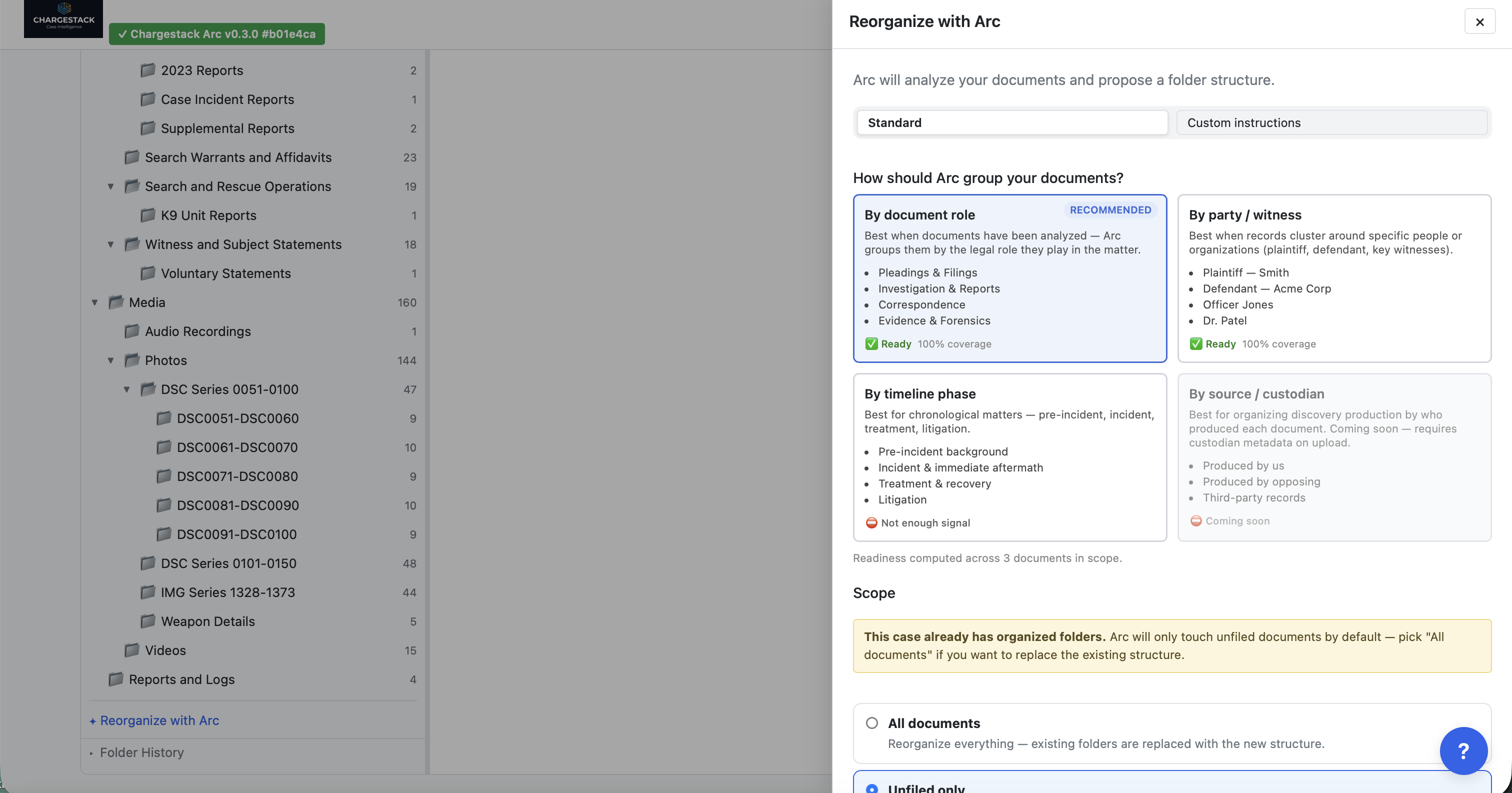
A case a colleague can pick up cold — and that stays organized after the next production lands.
Trust what's on screen, whatever the format.
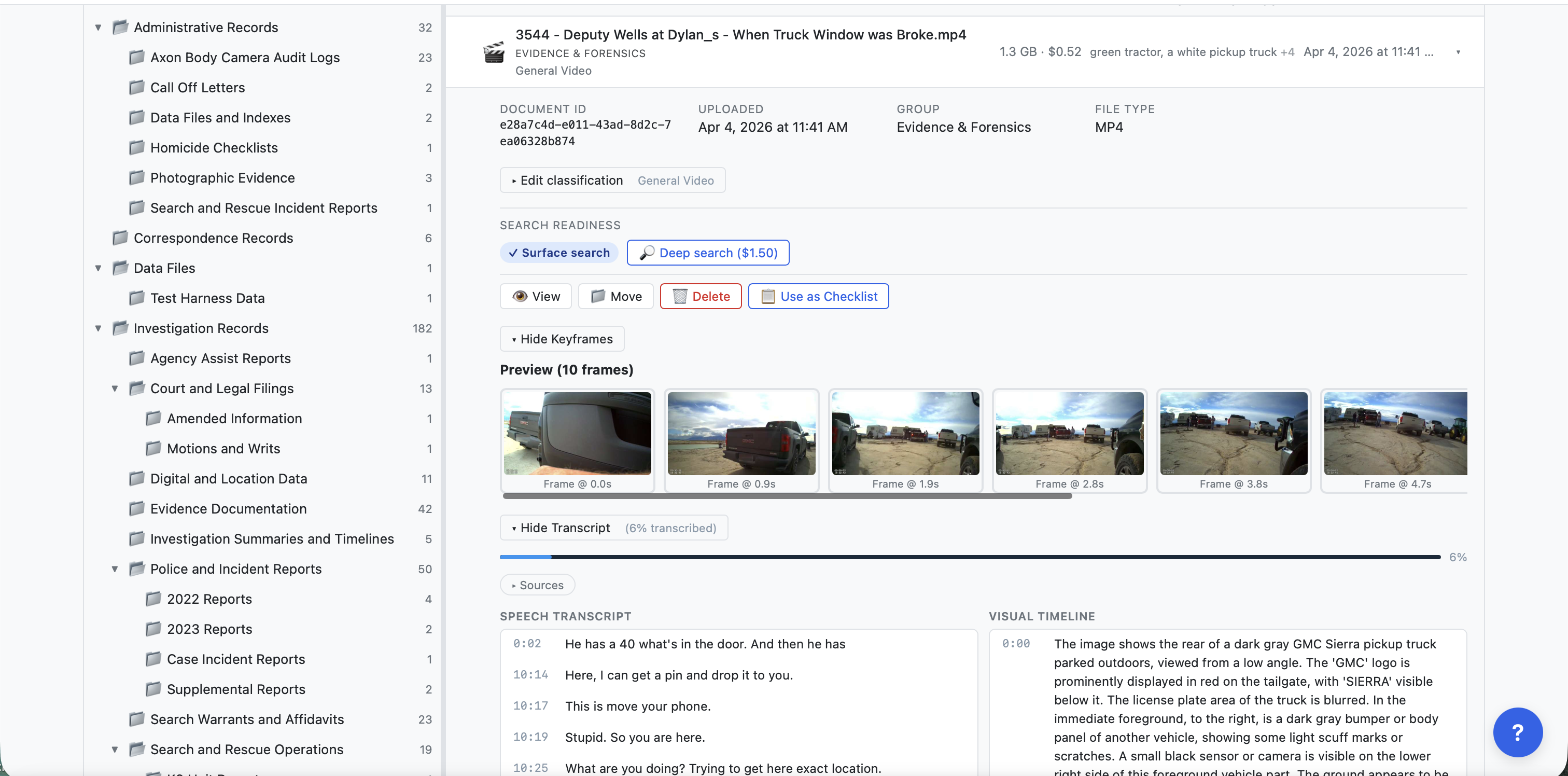
PDFs, images, Word, Excel and PowerPoint, audio and video — one viewer, nothing to download. See the page beside the text ChargeStack pulled from it, so you can trust what Arc is reading and catch the scan it misread before it matters. For audio and video, the transcript scrolls with playback; click any line and the player jumps there. Need speaker labels? See what a higher-quality transcript would add before you run it.
Find it by name, by term, or by asking.
One search across the whole case returns the documents that mention your term. Open one, and in-viewer search jumps match to match — the serial number on an evidence audit trail, the badge number on a body-cam log, the exhibit reference buried on page 47. Or skip the search entirely: "Arc, show me where they talk about the K-9 search." Arc opens the document on the passage.
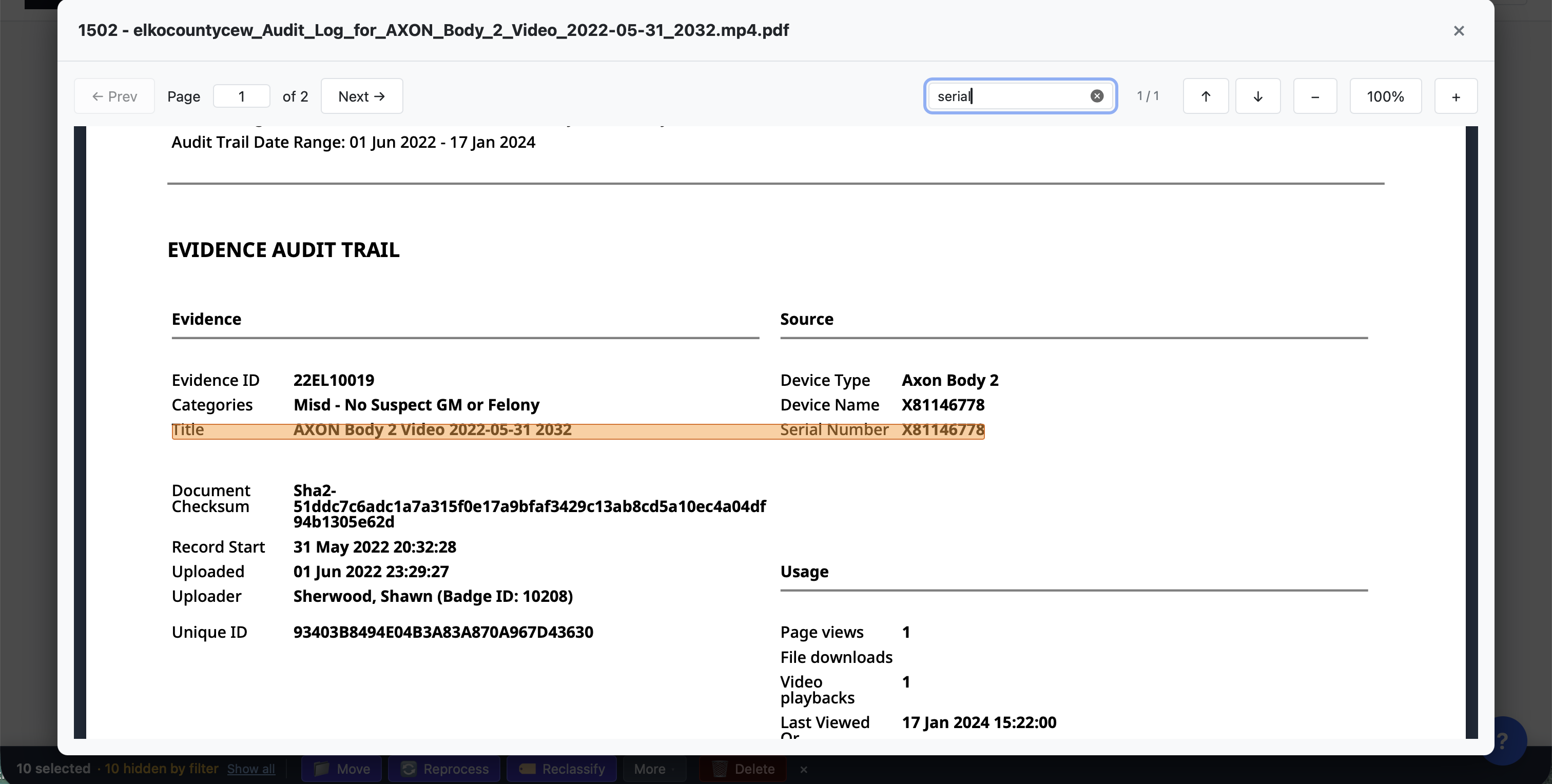
Minutes of paging become one search.
Clip it once. Keep the source.
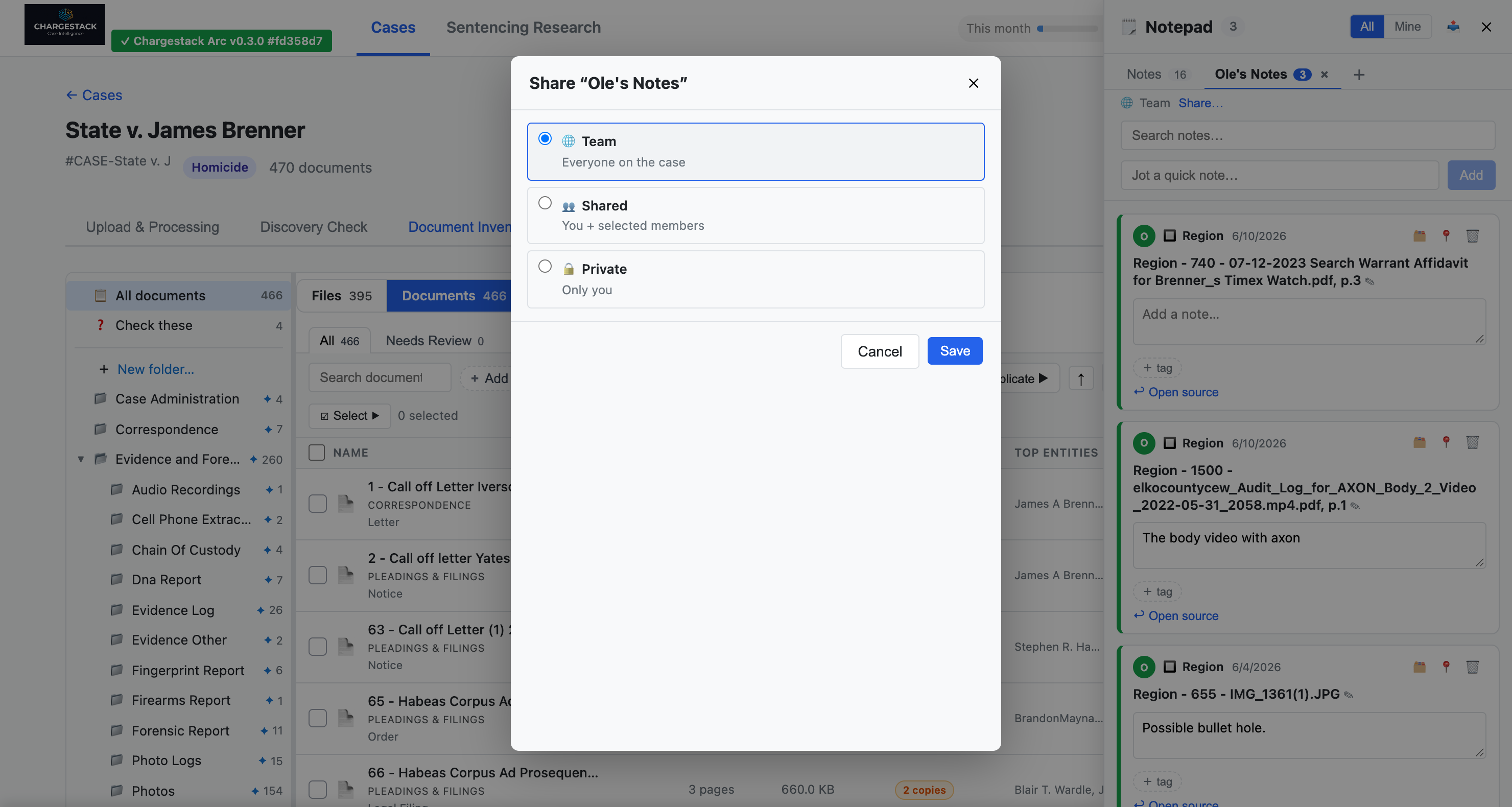
Highlight the admission, the date, the inconsistency. The clip carries the document and page with it — into the brief, the hearing and the appeal, months later, still linked. Keep clips in notebooks per witness, claim or theory; tag them, pin them, and "show me everything tagged #alibi" is one click.
Notebooks are shared with the case team by default, and you decide who sees each one: private to you, shared with specific colleagues, or the whole team. Export a notebook to a memo in Word or PDF.
Find what's missing.
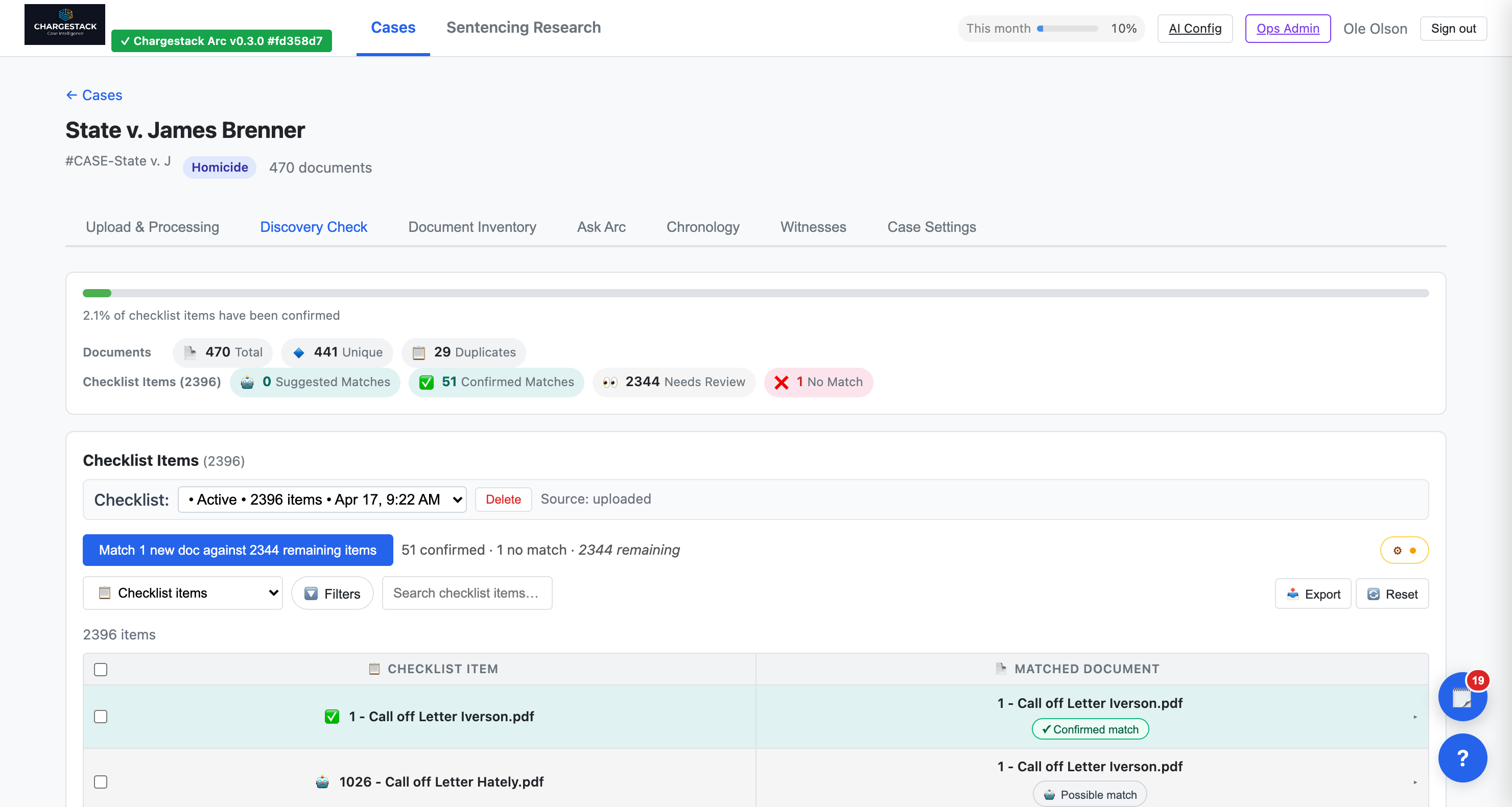
Upload the checklist of what was supposed to be produced. Arc matches what you have against what you should have — by filename, document type, people named, and narrative content — and shows each item with its suggested matches. Confirm the good ones, mark the rest, filter to what's left, and read off at a glance what's confirmed, what's missing, and what's outstanding. New uploads are matched against the remaining items.
In order, with nothing you didn't approve.
Every event ChargeStack extracted from the case — stops, interviews, searches, arrests — in one browser, filterable by type, participant and date. A green "N sources" tag shows corroboration; "single source" flags what deserves scrutiny. Describe the timeline you need and Build with Arc proposes a plan; the entries land as suggestions that stay dashed until you accept them. Undated events wait in a tray with their proposed dates and source quotes.
Keep several per case — one for the incident, one for the investigation. Merge duplicate tellings, nest details under episodes, and export to Word, PDF or CSV with every entry cited.
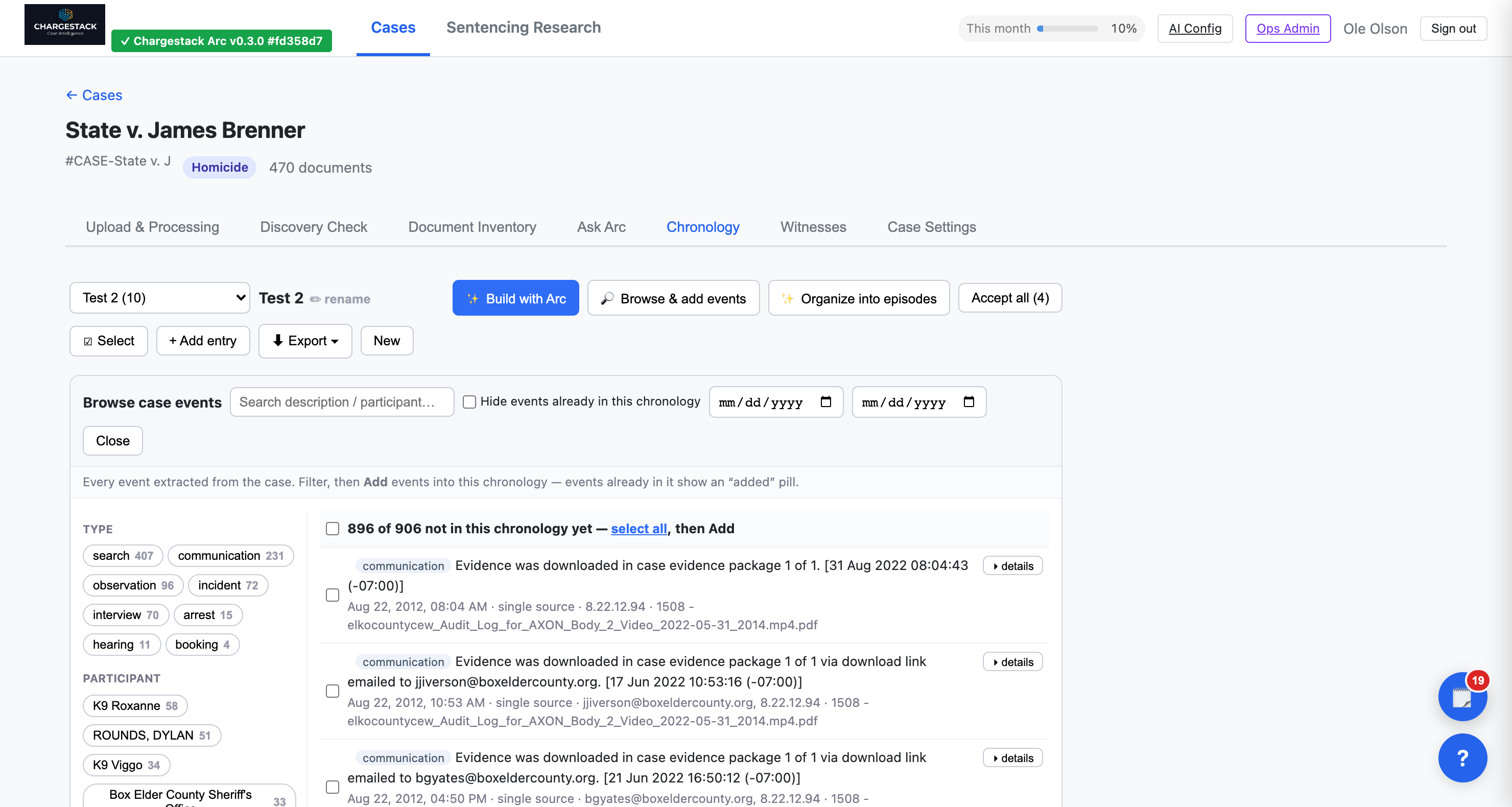
A chronology by lunch — every entry cited, every date yours.
The who's-who of your case, already built.
Arc gathers every person mentioned across your documents into one roster — "Garcia," "Det. Garcia" and "the reporting officer" become one card while you work — and ranks it so the people who matter rise to the top. Your job is cutting, not confirming: dismiss the noise, settle the borderline cases, every merge reversible. "Possibly this person — your call" lists the name matches Arc could not confirm, with the documents, so you check before you decide.
Open anyone and read one evidence trail: every document that references them, in case-timeline order, with the statements extracted there, an Arc-written evidence summary on demand, and a graph view of their connections — every claim one click from its source.
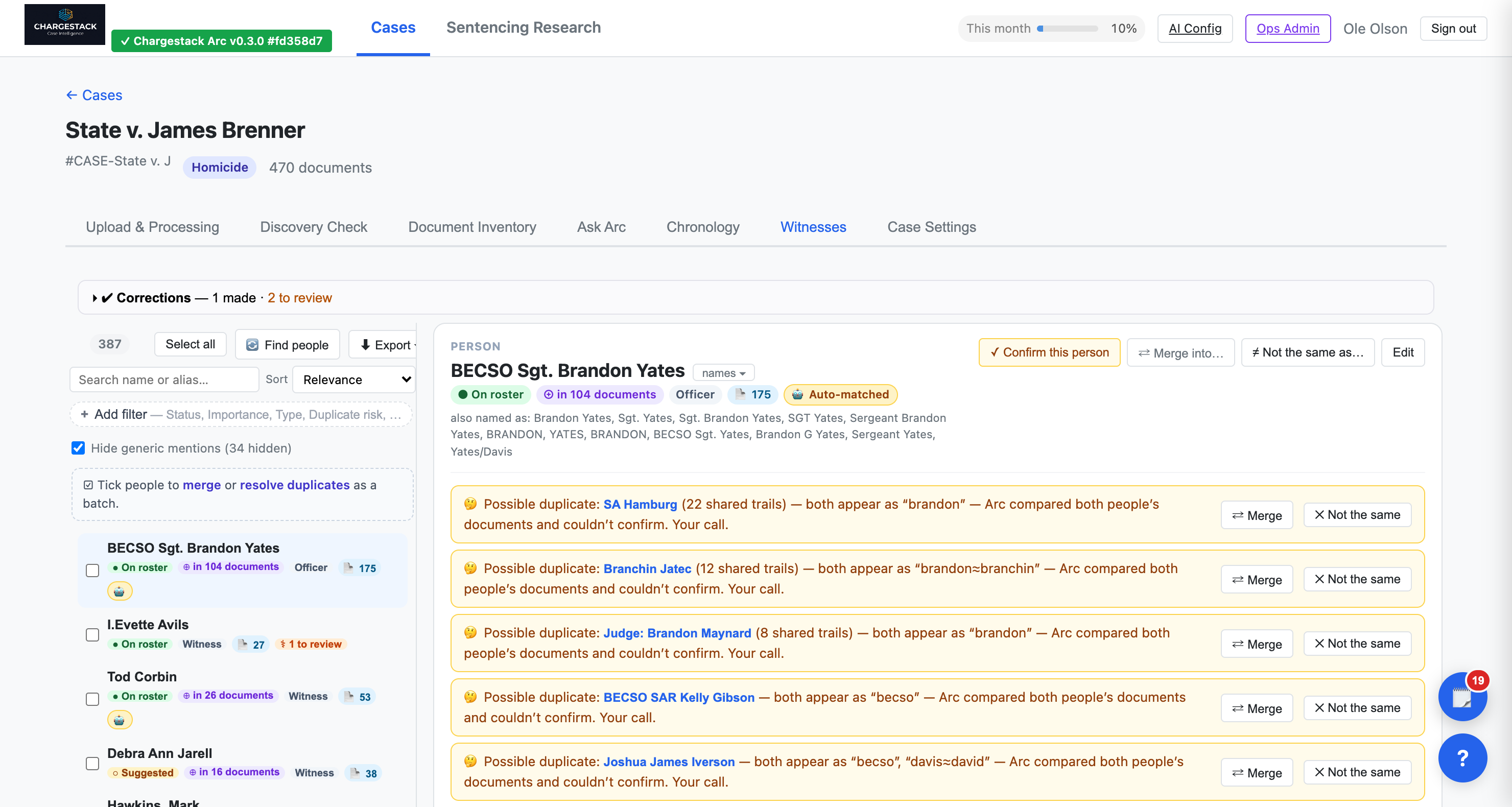
Walk into the interview knowing everything the file says about them — and who else says it.
Ask in plain English. Get answers that open the page.
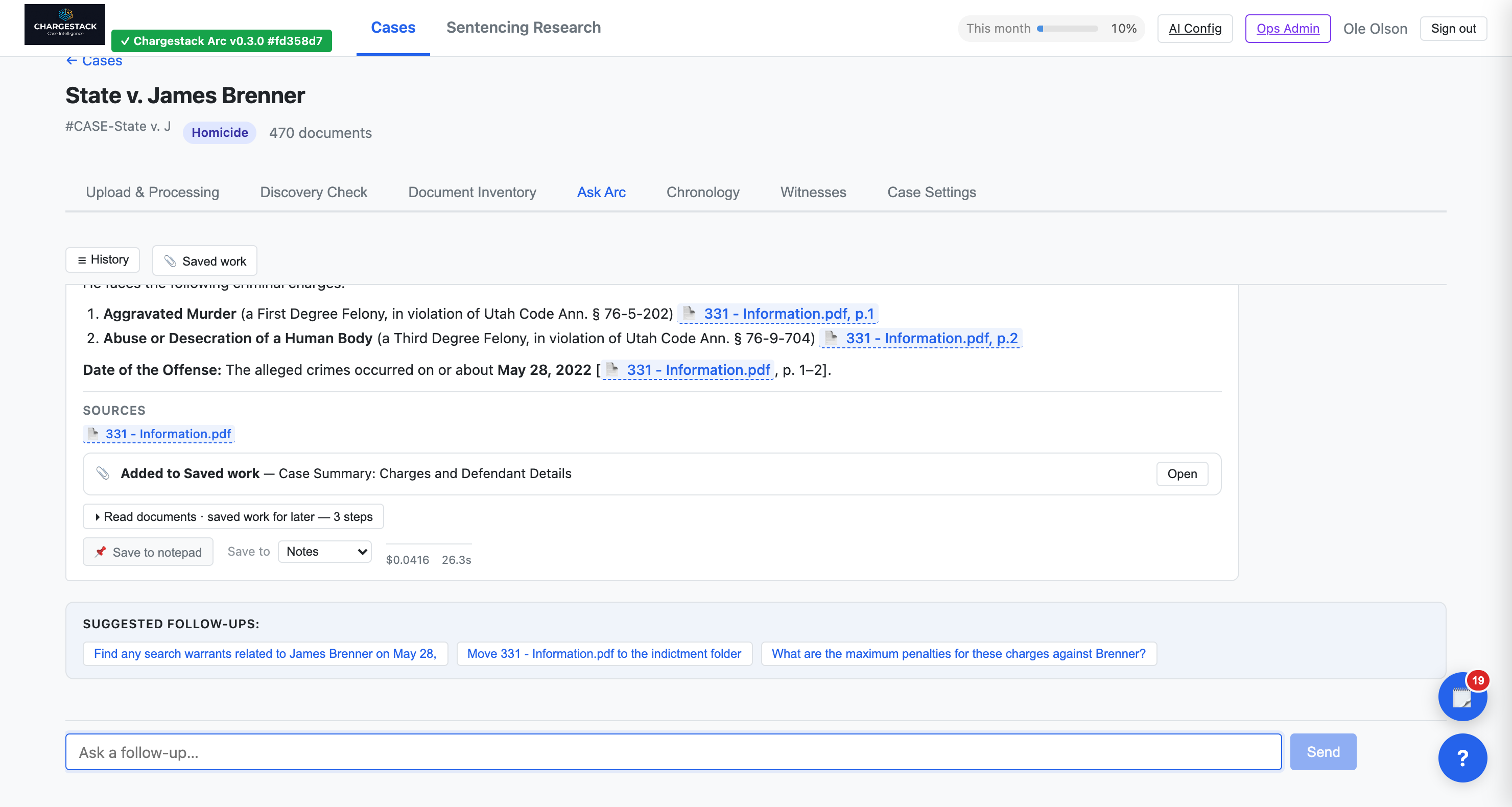
Type your question. Arc reads across the file and answers with citations to the specific documents and pages it drew from. Text opens with the cited span highlighted; audio and video open at the cited second. Copy any citation's link and send it — it survives folder reorganizations, never expires, and only people on the case can open it. The steps Arc took, the sources it used and the cost of the question are all shown — nothing hidden behind a chat bubble.
Arc is at its best with pointed questions that have a findable answer in the record — "When was the warrant executed?", "Are these two names the same person?", "The reports mention body-cam — do we have the footage?" Save an answer to your notepad or to saved work, and it keeps its citations.
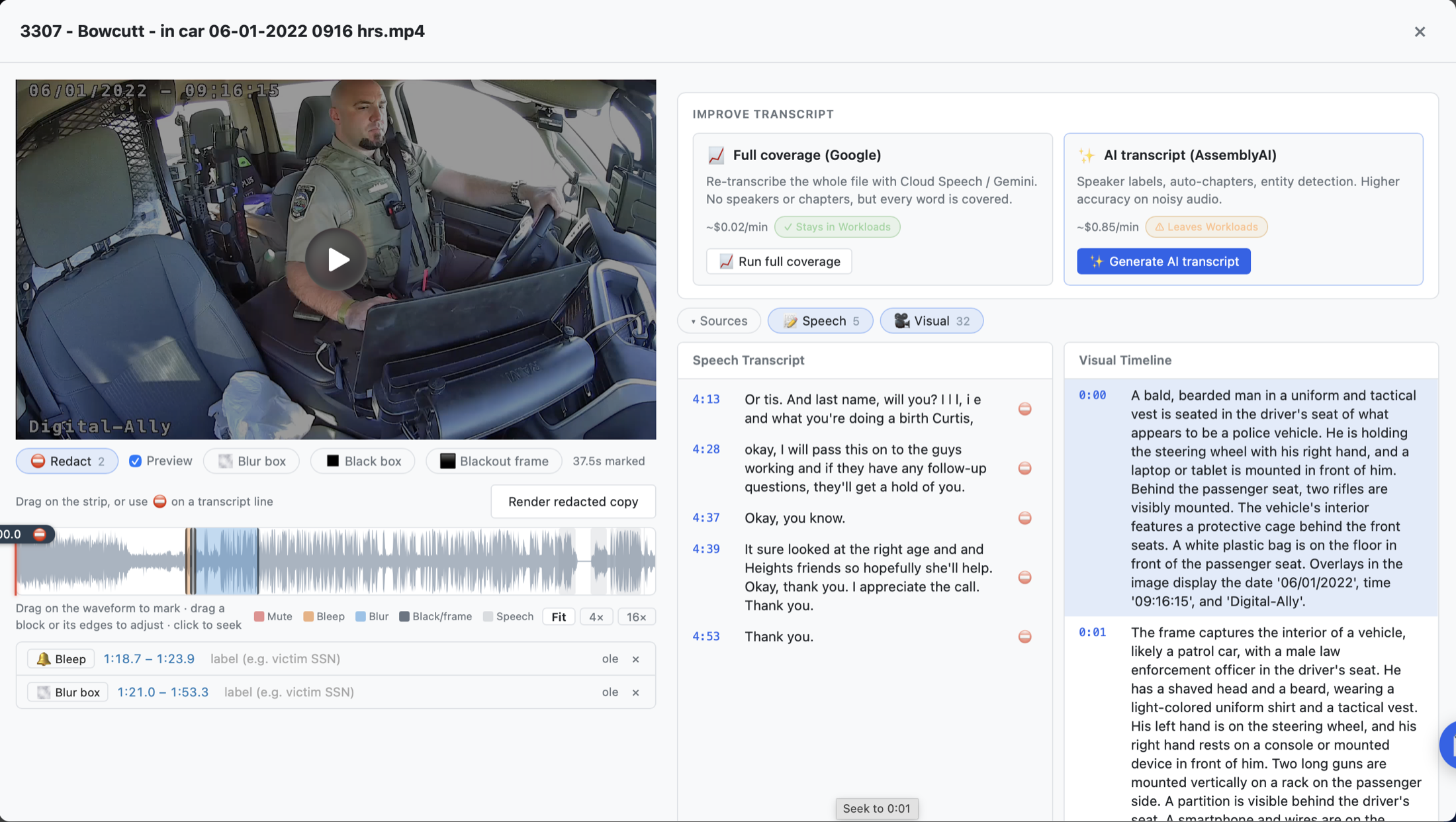
Redact in minutes, not in a video editor.
Open an audio or video file and mark what has to come out — drag on the waveform to mute or bleep a phrase, fine-tune to the word, or pause on the frame and draw a box to blur, black out, or blank the whole frame. Not sure where it is? "Arc, where do they say the Social Security number?" Arc renders a separate "(Redacted)" copy with the content genuinely removed — audio truly silenced, video truly black — and re-checks its own output, so a redaction can never quietly fail. Play both and confirm. Your original is never touched.
Hand off the whole case, organized.
Export a document, a folder, or the case. What comes back is a package laid out in the same folders you see in the app — each document its own numbered, named file — with an index page you open in any browser. It works offline; nothing in it depends on ChargeStack. Include the summaries or leave them out for a package going to someone who shouldn't see them. Redacted copies and chronologies (Word, PDF, CSV) export too, and every export waits in the case's Downloads list.
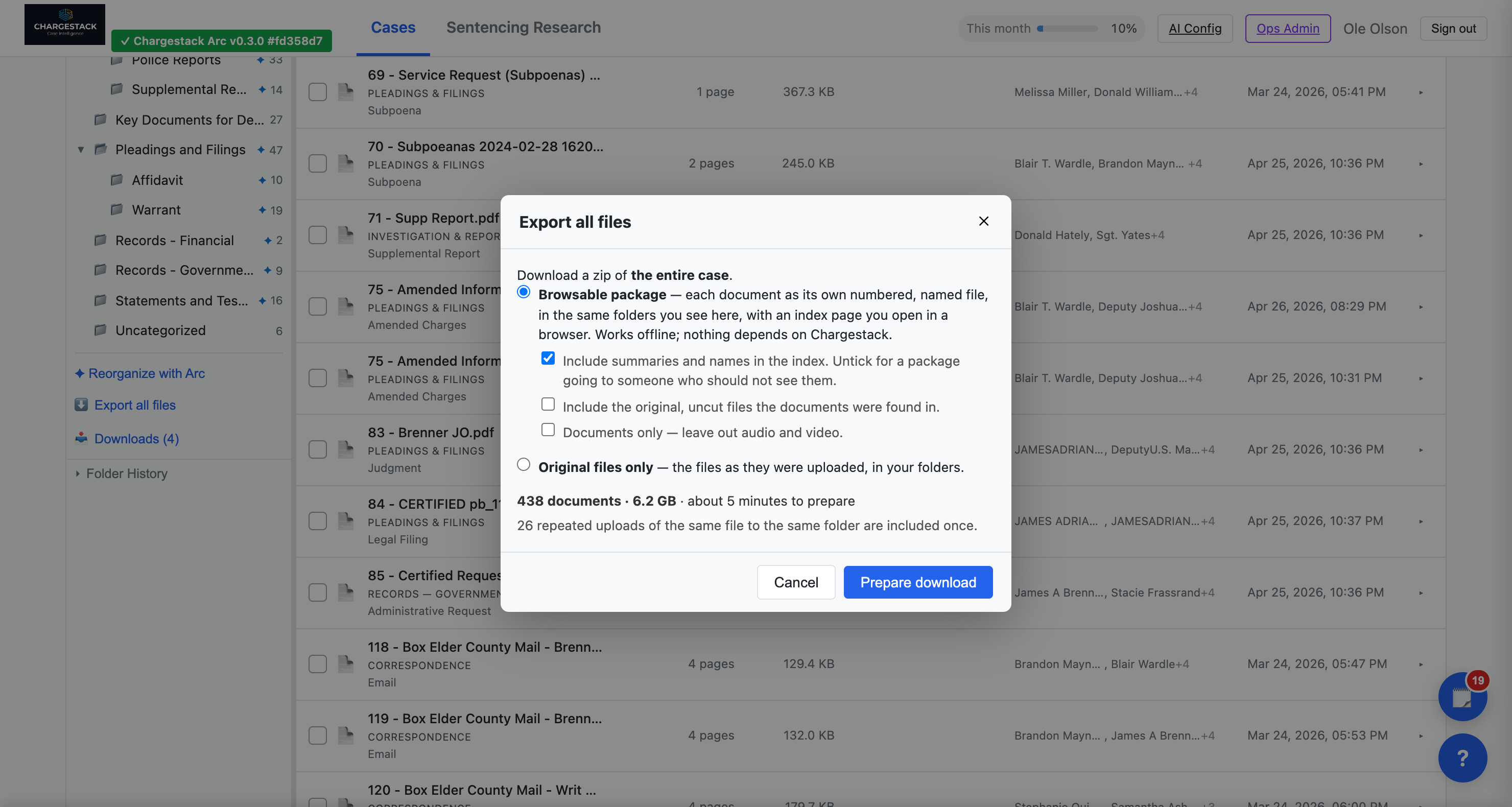
For co-counsel, the court, or the other side — the case as you see it, in a zip.
What do people actually get for this charge?
Every Montana Department of Corrections sentencing record and every sentence reported in a Montana Supreme Court opinion or Sentence Review decision, in one list — one row per sentence, nothing double-counted, nothing dropped. Each row says whether it is known from DOC, from an opinion, or from both; the appealed cases can be shown alone or set aside.
Ask in plain English — "How has this judge sentenced this offense before?" — and get the count, the typical term, where half the sentences fall and where nine in ten fall, with the records in a card and a link that opens the same set in Browse. Or browse: pick a county and the other filters narrow to what's available within it, with counts. Click any row for the whole docket and, when the case was appealed, what the opinion says. Export the filtered set to CSV. The same dataset answers sentencing questions inside any case's Arc chat. Historical public-record data for research and context — not a prediction, not legal advice. Enabled per organization.
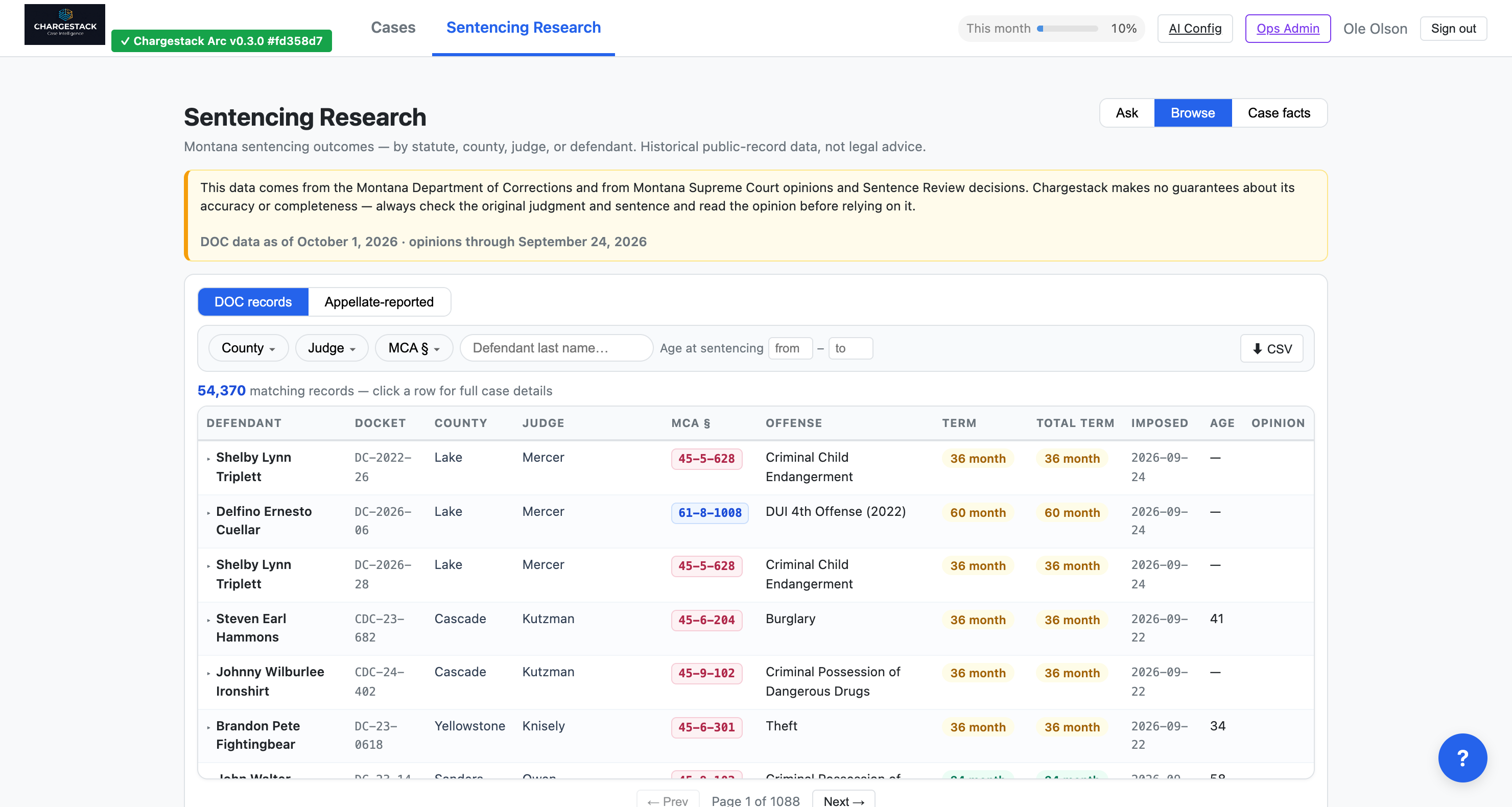
The number in seconds — from the record, not from memory or a phone call.
That's Arc.
From evidence to understanding, fast. Running inside Google Cloud Assured Workloads with the CJIS control package. Available now.